Guide

Which campus management software handles academic scheduling and grade reporting together? Nine K-12 platforms compared on master scheduling, gradebooks, report cards, transcripts, and price.
The campus management software that makes scheduling and grade reporting easiest is the one where the master schedule, class rosters, gradebook, report cards, and transcripts all sit on the same student record, so a schedule change never means re-entering grades. For independent and private K-12 schools, Sycamore does that in one system at a published $4 per student per month, with a Master Scheduler that handles rotating bell schedules and two-week cycles and a gradebook that runs standards-based or traditional grading. Blackbaud documents the most complete master scheduling process of the group and suits larger private schools with the budget for a quote. PowerSchool fits districts and big multi-school systems. Rediker is strong for high school scheduling, Alma for standards-based report cards, and Veracross for schools that want one database and can afford it. FACTS is mid-way through rebuilding its scheduling, and Gradelink and SchoolCues cover simpler schedules well.
I lead client strategy at Sycamore, and scheduling and report cards come up in a lot of my conversations with schools that are thinking about switching. I’ve tried to describe each competitor the way its own product pages and help documentation do, as of October 2026, and I’ve said where they’re stronger than we are.
It depends on who’s using the phrase. In higher education, a campus management system is the platform that runs a university: admissions, course catalogs, registration, grades, and student finance. Several of the lists that come up when you search the term are about universities, not schools. (Sycamore has a higher-ed product too, Sycamore Campus, but this article is about K-12.)
In K-12, the same job falls to the student information system plus whatever handles operations around it. For a school leader comparing school administration software, the useful question isn’t whether a product calls itself campus management software. It’s whether academic scheduling and grade reporting live in the same place, so the work a registrar does in August shows up correctly on a report card in December.
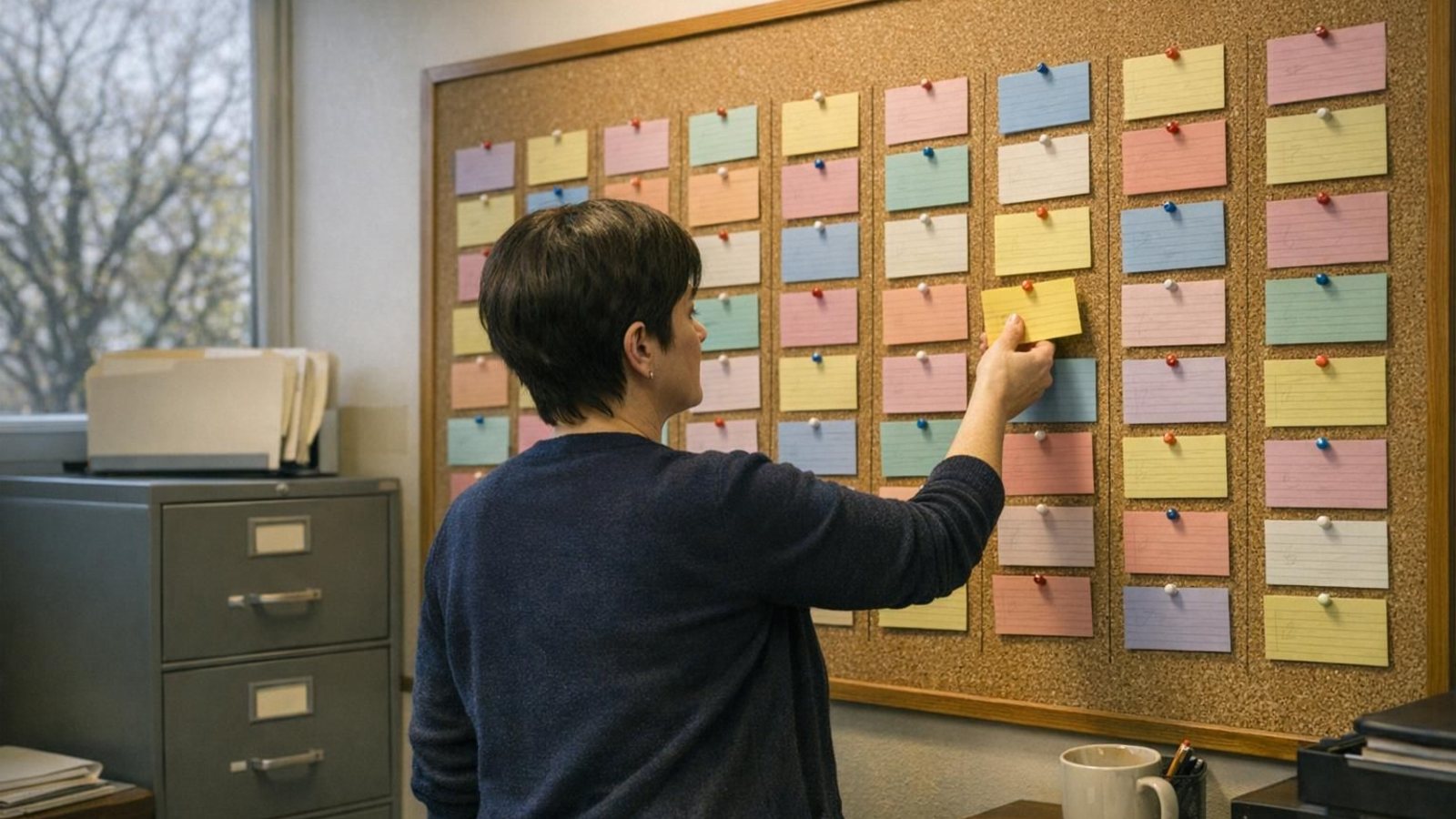
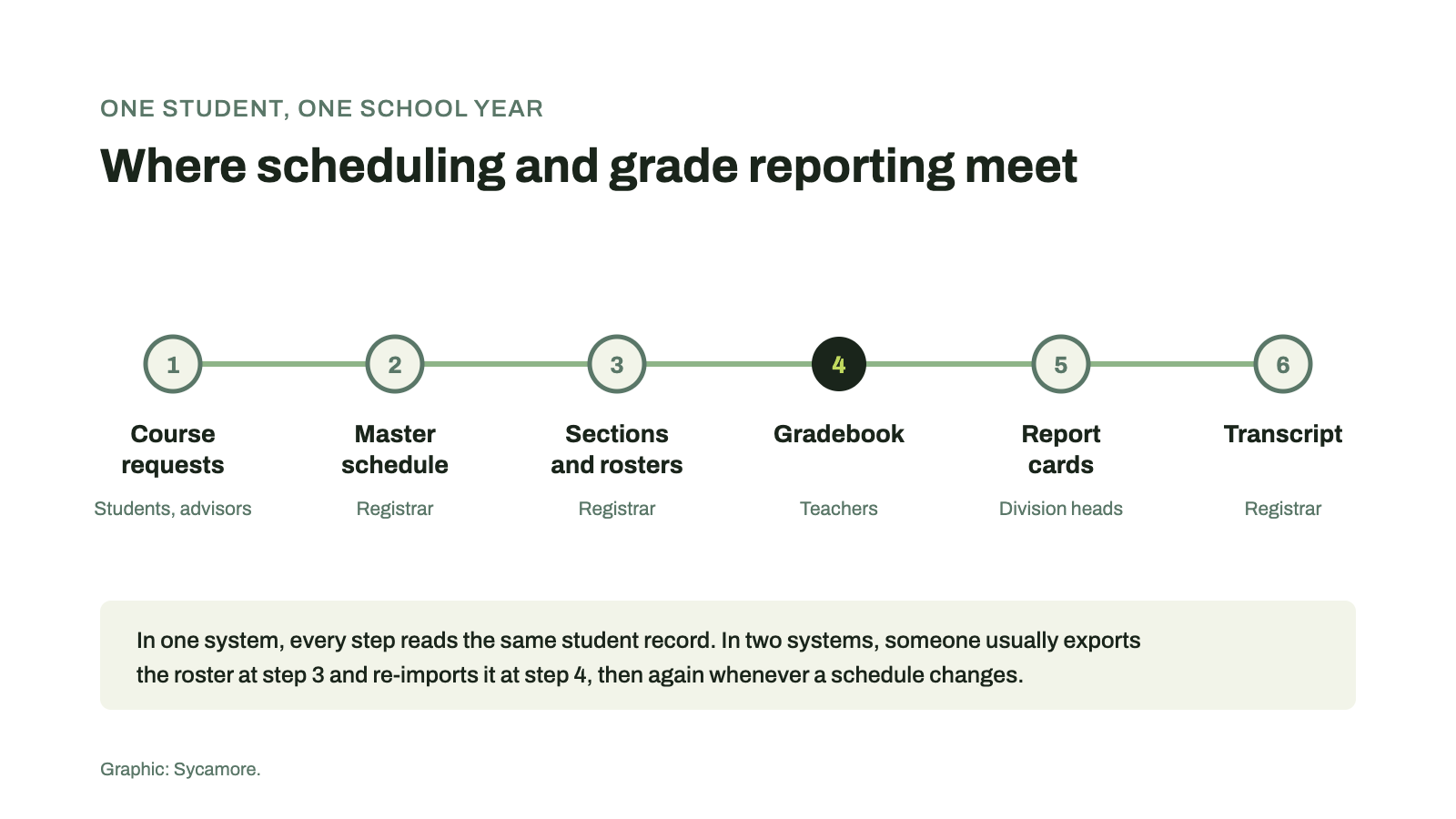
Because the schedule is where the gradebook comes from. Every section on the master schedule becomes a class roster, every roster becomes a gradebook, and every gradebook feeds a report card and eventually a transcript. When those live in different products, someone exports rosters from one and imports them into the other, and does it again every time a student drops a class or changes sections.
Teachers feel that rework most. In an EdWeek Research Center survey for Merrimack College, teachers reported working a median of 54 hours a week, including about five hours grading and giving feedback. Grading time is already spoken for. Nobody wants to add a second round of data entry because a schedule changed.
Course requests that students and advisors can enter. Collecting requests on paper or in a form, then typing them in, is the slowest part of scheduling at most schools. Look for online course requests that feed the scheduler directly.
A master schedule builder with a conflict report. Somewhere around middle school, when students start choosing electives, scheduling by hand stops scaling. You want a tool that places sections, flags the students it couldn’t fit, and shows you why. Ask whether it handles your bell schedule, whether that’s a rotating block, a six-day cycle, or something unique to your school.
Then rosters that become gradebooks automatically, and stay in sync when a student changes sections mid-term. This is the single most useful thing to test in a demo.
Report cards that fit each division. Many independent schools grade the lower school on standards and the upper school with letters and percentages. The gradebook should support both, and report card templates should be set by division without a support ticket.
Finally, transcripts and GPA from the same grades, plus a parent view of grades and report cards that families can actually find. If the transcript is built in a separate tool, you’ll eventually find two versions of the same grade.
We compared nine platforms that private and independent schools ask us about, using each vendor’s own product pages and help documentation as of October 2026.
| Platform | Built for | Master scheduling | Gradebook and reporting | Same system? | Pricing |
|---|---|---|---|---|---|
| Sycamore | Independent and private K-12 | Master Scheduler; rotating bell schedules, two-week cycles, university-style models | Standards-based or traditional; custom report cards by division; transcripts | Yes, one database | $4 per student per month, published |
| Blackbaud | Private K-12 | Course requests, generate master schedule, conflict and fulfillment matrices | Gradebook rolls up to the SIS; drag-and-drop report card builder; transcripts | Yes; LMS included with the SIS | Quote |
| PowerSchool SIS | Schools and districts of all sizes | Automatic Scheduler; online course requests | PowerTeacher Pro gradebook; standards-based report cards; transcripts | Yes | Quote |
| Rediker | Private and public schools | Master Schedule Builder for high schools; basic scheduling for younger grades | TeacherPlus gradebook; skills-based report cards PK-12; transcripts | Yes | Contact sales |
| Veracross | Private and independent K-12 | Scheduler with constraints and student course requests | Grading, report cards, progress reports | Yes, one database; priced by module | Tailored quote |
| Alma | Independent and charter schools | Course requests and class scheduling; Advanced Scheduling is a package upgrade | Traditional and competency gradebooks; standards-based report cards; transcripts | Depends on package | Quote |
| FACTS SIS | K-12, many faith-based schools | Course requests and teacher recommendations; scheduling rebuild under way | Standards-aligned gradebook; report cards; transcripts with GPA | Yes | Quote |
| Gradelink | Private and charter schools | Rotating block schedules; teacher conflicts flagged | Standards-based gradebook and report cards; transcripts | Yes | Online quote calculator |
| SchoolCues | Small private schools | Class schedules and rosters; no master scheduler documented | Gradebook, report cards, transcripts | Yes, for grading | From $75 per month |
Sycamore School puts admissions, the SIS, the gradebook, attendance, the parent app, and tuition billing on one record. Its Master Scheduler automates class placement, balancing class sizes and keeping conflicts down, and while it was designed with high schools in mind, it handles rotating bell schedules, two-week cycles, and university-style models for other grades too. The gradebook runs standards-based or traditional grading, report cards are set up by division, and families see grades in the same app where they pay tuition. Pricing is published at $4 per student per month, with training through Sycamore Academy and U.S.-based support included. Where we’re thinner: Blackbaud’s public scheduling documentation is more detailed than ours, and a very large high school with hundreds of electives should ask us to run its own course request data through the scheduler before deciding.
If you judge by documentation alone, Blackbaud has the most complete scheduling process here. Its help guide walks through course requests, a generate-master-schedule step, a conflict matrix that sorts singletons and doubletons, and scheduling snapshots, and it suggests that about 80 percent of students scheduled after the first run is a good benchmark. The gradebook rolls up to the SIS, the report card builder is drag-and-drop, and the learning management system comes with the SIS rather than as a separate purchase. It’s built for private K-12 and priced by quote.
PowerSchool is best known in public districts and serves private schools too. Its feature materials list an Automatic Scheduler, online course requests, the PowerTeacher Pro gradebook, standards-based report cards, and transcripts, all in the SIS. It’s a lot of system for a single independent school of 300, and it shines when you’re running many schools at once. Pricing is by quote.
Rediker’s Master Schedule Builder in AdminPlus tests and generates section combinations, accepts assigned or student-chosen requests, and shows progress on a running scoreboard. It’s aimed squarely at high schools, with simpler scheduling for elementary and middle grades. Grades come from the TeacherPlus gradebook, with skills-based report cards from PK through 12. A solid choice for a school whose hardest problem is the upper school schedule.
Veracross is built for private and independent schools around a single database where every person exists once, which is exactly the property that keeps schedules and grades in sync. It has a scheduler with constraints and student course requests, and grading, report cards, and progress reports in the same system. Pricing is tailored, and schools can buy academics alone or the full suite, so get the module list in writing.
Alma’s gradebook is one of its strengths: traditional and competency-based gradebooks, standards-based report cards built with a drag-and-drop template, and flexible GPA calculations. Scheduling covers course requests and class management, but Advanced Scheduling is listed as an upgrade on its package page, and report cards and transcripts aren’t in every package. For a school that grades on standards and schedules simply, it’s a good fit. Check which package your quote includes.
FACTS SIS (formerly RenWeb) is used by thousands of private and faith-based schools and has a standards-aligned gradebook, custom report cards, and transcripts with GPA. Scheduling is being rebuilt in phases; the update in December 2025 added course request forms, parent sign-off, and teacher recommendations, with an updated courses and classes experience next. If scheduling is your main pain point, ask where the rebuild stands on the day you’re quoted.
Gradelink handles rotating block schedules on a weekly or two-week basis and flags teacher conflicts in red, and its gradebook supports standards-based grading and report cards, with transcripts that update when classes conclude. It doesn’t document an automated master scheduler or course requests, so it suits schools whose schedules are set by grade level rather than student choice. It publishes an instant quote calculator on its site.
SchoolCues is a low-cost option for small schools, with a free gradebook that produces report cards and transcripts, and pricing from $75 a month. There’s no master scheduler documented, so it’s best for schools that don’t need one yet.
Bring a small slice of your own data and ask every vendor to do the same four things.
If a vendor needs a week to prepare step two, that tells you something.
In K-12, campus management software usually means a student information system that also runs school operations: admissions, scheduling, attendance, grades, report cards, transcripts, and often billing. The term comes from higher education, so lists that use it often mix university systems in with K-12 ones.
Not always. An elementary school with self-contained classrooms can schedule by hand. Once students choose electives or move between teachers by period, usually in middle and high school, an automated scheduler with a conflict report starts saving real time.
Yes, if the gradebook supports both and report cards can be set up by division. Many independent schools grade lower school on standards and upper school with letter grades, so ask to see both come out of the same system.
In a system where the schedule and gradebook share one record, the student’s grades move with them or stay attached to the original section for the transcript. If they don’t, someone has to re-enter them. Test this in every demo.
Blackbaud documents a more complete master scheduling process publicly, with a generate step and conflict matrix. Alma sells advanced scheduling as an upgrade to some packages. Check what’s included in the package you’d actually buy.
Michaela Lamb, M.Ed., is Director of Client Strategy at Sycamore, where she works with independent and faith-based schools on platform fit, from the first conversation through the plan for moving schedules, gradebooks, and report cards across. To walk through your own schedule and report cards, book time with Michaela or call Client Strategy at +1 (402) 442-1499.
Most schools don’t switch systems because of one big failure. They switch because the same roster got typed in three places again this fall. If that sounds familiar, request a demo and bring your schedule.
A practical education software evaluation guide for independent school leaders: how to judge teacher adoption, usability, training, interoperability, and long-term fit before you sign.
Ten affordable SIS platforms for independent K-12 schools, compared on all-in cost, admissions, enrollment, tuition payments, and the tradeoffs that matter at a small school.
Which K-12 student information systems do U.S. private schools use, and how do their tuition, payment, and aid tools compare? Seven platforms, tuition first.