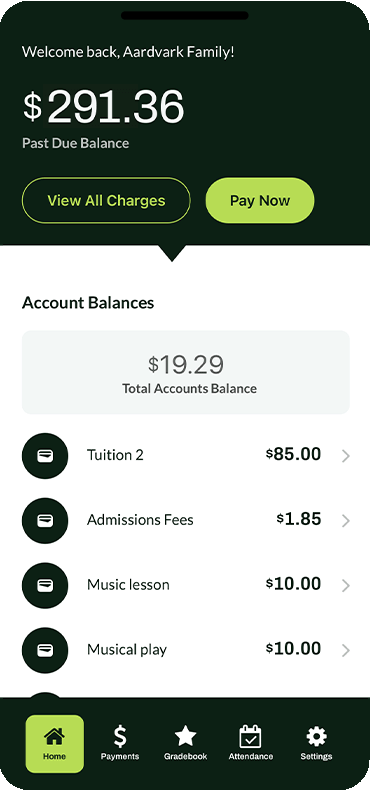
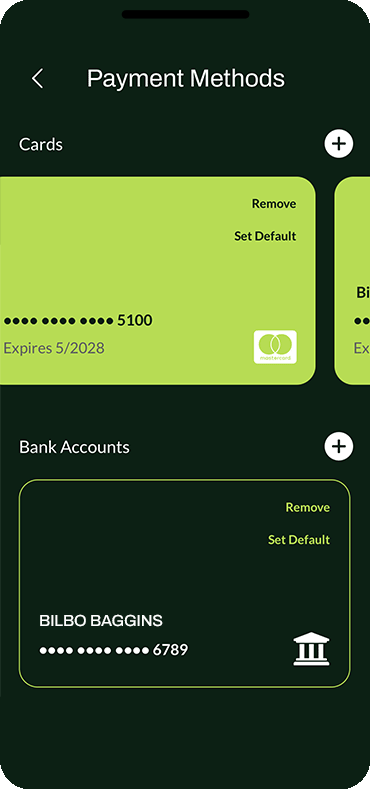
Convenient Payment Management at Your Fingertips

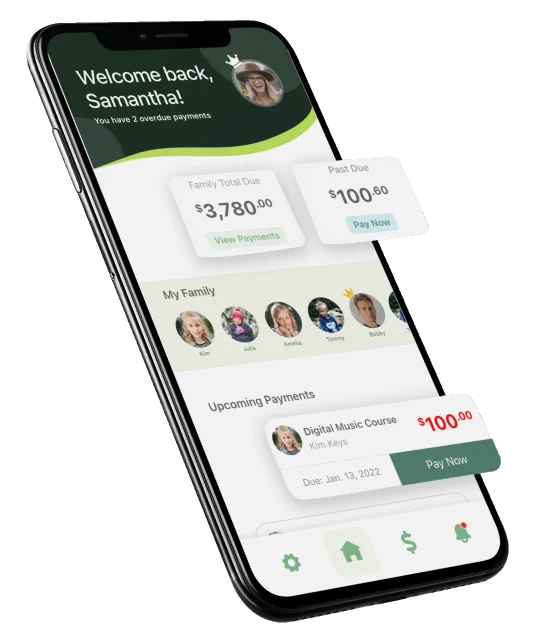
With our mobile app, families can manage tuition payments and stay on top of their accounts anytime, anywhere. Designed for convenience, the app offers real-time updates, easy payment options, and secure account access. It’s payment management made simple and accessible.

Mobile App Features

We’ve packed powerful features into Sycamore’s mobile app, delivering unmatched convenience and value for your school. Below are some highlights of our iOS and Android app:

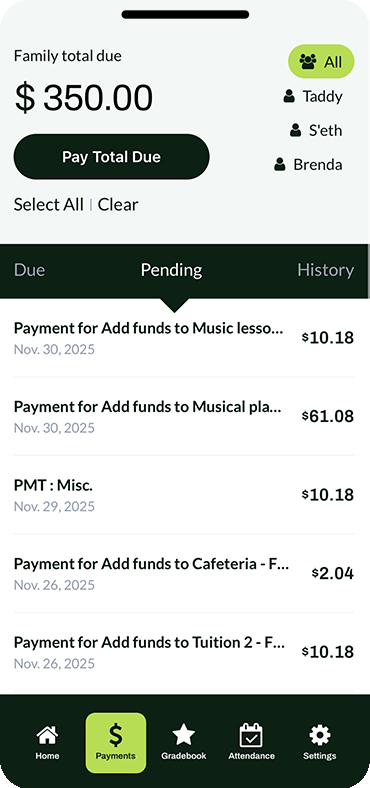
Users can choose ACH or credit card payments, with the option for organizations to pass along associated fees to the user.

Make payments and fees hassle-free with a single press, pay individual fees or all at once in a lump sum.

Families can deposit money into a surplus account and access it anytime for fee payments.

For families or groups, users can filter fees by specific members with just one click.

Generate statements with detailed breakdowns in one tap, perfect for tax purposes or documentation.

Receipts branded with your organization’s logo are automatically sent upon each payment.

Administrators can send in-app alerts to help users avoid late fees and stay informed. How school messages reach families.

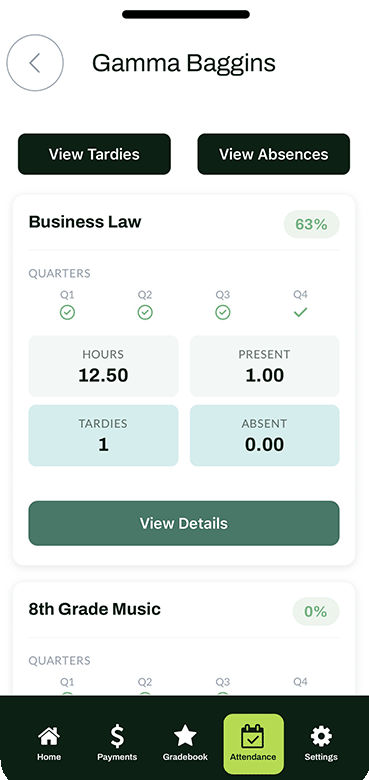
Teachers can take attendance directly from the classroom and document absences, tardies, notes, etc.

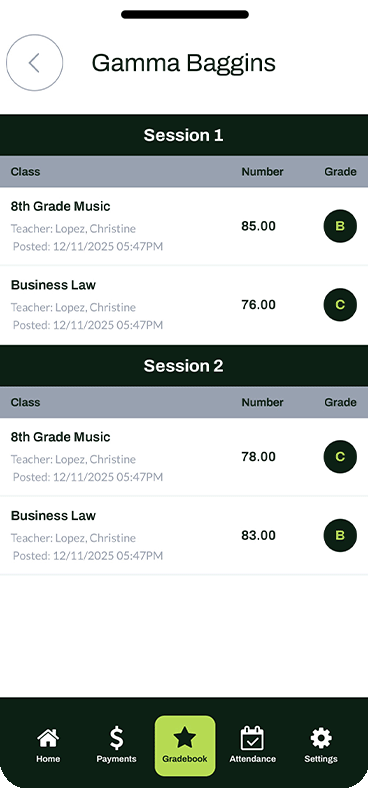
With three different grading models available, teachers have the option to customize the weight of their grade books and the amount of points for each assignment that best meet the needs of each classroom.

for Parents, Students, Teachers, and Administrators allowing for comprehensive control and management of your school and convenience for parents.

Mobile App Benefits

Mobile App Benefits

Admins can personalize the user experience within Sycamore’s mobile app by displaying your organization’s logo instead of the default Sycamore branding. This ensures users can easily associate payments with your institution.

Payment Security

Sycamore leverages top-tier payment processors to ensure secure transactions. Both Stripe and PayPal are certified PCI Service Providers (Level 1), providing peace of mind for your organization and its families.

App Support

Sycamore’s built-in ticket and support system is available 24/7 to assist both users and administrators. Rated A+, our team is equipped to handle everything from platform navigation to issuing refunds, ensuring seamless operations.

“Our teachers are very happy to be able to post grades, our parents are happy to have direct access to their child’s academic progress on a daily basis, and our office administrator is happy to be able to print report cards in minutes. I continue to be very pleased with the functionality of Sycamore as well as the outstanding customer support!”
Debra B. // Principal // User for 2+ years

Sycamore App Download

Grades, attendance, and payments, right from your phone.
Use the Sycamore App to stay connected to your student’s school day and manage key tasks in minutes.
Choose your device to download:
Getting started is quick:
  1. Download the app for iOS or Android.
  2. Open the app and enter school ID.
  3. Sign in using your Sycamore parent account provided by your school.
Not sure about your login? Your school office can help you get access.
Already have the app? Open it and sign in with your school’s Sycamore account.
Frequently asked questions

Questions families ask about the app.

Is the Sycamore Parent App free?

Yes. The Sycamore Parent App is free for families on iPhone and Android. Download it here.

What can parents do in the app?

See payments, attendance, grades, and school messages on one screen, pulled live from the same record the school uses. Families can pay charges, check balances, and read school alerts without logging in anywhere else.

Can parents pay tuition and fees from the app?

Yes. Families pay by card or ACH, can pay several charges at once, and can set up autopay or a payment plan when the school offers one. Receipts send automatically and the balance updates right away.

Will the app tell me when something is due?

Yes. When the school posts a charge or sends an alert, families get a push notification in the app, along with email and text messages if the school uses them.

Where do I get my login?

Your school provides your Sycamore parent account details. If you don’t have them, contact the school office.

I can’t sign in. What should I do?

Double-check your email or username and password, then try again. If you still can’t get in, your school office can reset your account.

Can I manage more than one student?

Yes. If your account is linked to more than one student, you can switch between them in the app.

Is my payment information secure?

Yes. Card and bank payments are processed by Stripe, a PCI DSS Level 1 certified processor, through encrypted payment workflows.

Get Started with Sycamore Today

For customized pricing, contact us at 1 (866) 757-5401 or fill out our form online. Schedule a demo and start your free trial to see how Sycamore can help your school achieve more.